
Category: AI Tools

AI software for creators, marketers, and small teams.

  • Consensus Review: Who It Fits, Key Features, and What to Check

    Consensus Review: Who It Fits, Key Features, and What to Check

    Editorial note: This is a feature-based assessment using the vendor’s published information, not a hands-on benchmark. Features and pricing can change; verify them with the provider before buying.

    Consensus is an ai research search tool built to search scientific papers and surface cited research summaries. This review is for students, analysts, and writers who need research-grounded starting points. It explains what the product appears to offer, where it may help, and what to verify before paying.

    What is Consensus?

    Consensus focuses on a specific workflow: search scientific papers and surface cited research summaries. The useful question is whether this workflow removes a real bottleneck for your team. Start with one representative task, rather than judging a long feature list in isolation.

    Where it may help

    • A paper-focused search experience is useful when a general web answer is too broad.
    • Citations and filters help readers trace claims back to studies.

    The strongest fit is likely students, analysts, and writers who need research-grounded starting points. For a fair evaluation, compare the output against your existing process, including preparation, correction, and handoff time.

    Limits to consider

    • A generated synthesis is a research starting point, not a substitute for reading methods and limitations.
    • Coverage and conclusions depend on the papers indexed and the wording of a query.

    AI assistance does not remove the need for editorial review. Check accuracy, rights, privacy, and the requirements of the platform where you will publish or use the result.

    How to evaluate it

    Run three specific research questions, open every cited study, and check whether the summary reflects the evidence and study design.

    Before committing to a paid plan, check current usage limits, exports, integrations, support, and cancellation terms on the product website. A small repeatable trial tells you more than a polished demo.

    Verdict

    Consensus is worth a closer look if your main need is to search scientific papers and surface cited research summaries. Its value depends on the quality of the output in your own workflow and the time you save after review. We would test that workflow first, then decide whether the subscription earns its place.

    Sources and disclosure

    This article contains direct product and program links. It does not include an affiliate tracking link; program approval and terms are separate from this editorial assessment.


  • Reclaim.ai Review: Who It Fits, Key Features, and What to Check

    Reclaim.ai Review: Who It Fits, Key Features, and What to Check

    Editorial note: This is a feature-based assessment using the vendor’s published information, not a hands-on benchmark. Features and pricing can change; verify them with the provider before buying.

    Reclaim.ai is an ai calendar planning tool built to place tasks, habits, and focus time around real calendar commitments. This review is for busy professionals and teams whose calendars change throughout the week. It explains what the product appears to offer, where it may help, and what to verify before paying.

    What is Reclaim.ai?

    Reclaim.ai focuses on a specific workflow: place tasks, habits, and focus time around real calendar commitments. The useful question is whether this workflow removes a real bottleneck for your team. Start with one representative task, rather than judging a long feature list in isolation.

    Where it may help

    • Automated scheduling can protect time for work that otherwise gets crowded out.
    • Flexible habits and task scheduling can adapt when meetings move.

    The strongest fit is likely busy professionals and teams whose calendars change throughout the week. For a fair evaluation, compare the output against your existing process, including preparation, correction, and handoff time.

    Limits to consider

    • An overfilled calendar remains overfilled, even when blocks move automatically.
    • Team adoption and calendar permissions need a thoughtful setup.

    AI assistance does not remove the need for editorial review. Check accuracy, rights, privacy, and the requirements of the platform where you will publish or use the result.

    How to evaluate it

    Track one week of focus blocks and tasks, then compare planned versus completed work and manual rescheduling time.

    Before committing to a paid plan, check current usage limits, exports, integrations, support, and cancellation terms on the product website. A small repeatable trial tells you more than a polished demo.

    Verdict

    Reclaim.ai is worth a closer look if your main need is to place tasks, habits, and focus time around real calendar commitments. Its value depends on the quality of the output in your own workflow and the time you save after review. We would test that workflow first, then decide whether the subscription earns its place.

    Sources and disclosure

    This article contains direct product and program links. It does not include an affiliate tracking link; program approval and terms are separate from this editorial assessment.

  • Murf AI Review: Who It Fits, Key Features, and What to Check

    Murf AI Review: Who It Fits, Key Features, and What to Check

    Editorial note: This is a feature-based assessment using the vendor’s published information, not a hands-on benchmark. Features and pricing can change; verify them with the provider before buying.

    Murf AI is an ai voiceover tool built to produce synthetic voiceovers and adapt audio for multiple markets. This review is for course creators, product marketers, and teams localizing narrated content. It explains what the product appears to offer, where it may help, and what to verify before paying.

    What is Murf AI?

    Murf AI focuses on a specific workflow: produce synthetic voiceovers and adapt audio for multiple markets. The useful question is whether this workflow removes a real bottleneck for your team. Start with one representative task, rather than judging a long feature list in isolation.

    Where it may help

    • Text-to-speech can speed up revisions when a script changes.
    • Voice, dubbing, translation, and API options cover several production workflows.

    The strongest fit is likely course creators, product marketers, and teams localizing narrated content. For a fair evaluation, compare the output against your existing process, including preparation, correction, and handoff time.

    Limits to consider

    • Pronunciation, pacing, and emotional fit need listening checks before publication.
    • Voice usage rights and localization accuracy should be reviewed for each campaign.

    AI assistance does not remove the need for editorial review. Check accuracy, rights, privacy, and the requirements of the platform where you will publish or use the result.

    How to evaluate it

    Render a 60-second script with names and numbers, compare pronunciation and timing with your current voiceover workflow.

    Before committing to a paid plan, check current usage limits, exports, integrations, support, and cancellation terms on the product website. A small repeatable trial tells you more than a polished demo.

    Verdict

    Murf AI is worth a closer look if your main need is to produce synthetic voiceovers and adapt audio for multiple markets. Its value depends on the quality of the output in your own workflow and the time you save after review. We would test that workflow first, then decide whether the subscription earns its place.

    Sources and disclosure

    This article contains direct product and program links. It does not include an affiliate tracking link; program approval and terms are separate from this editorial assessment.

  • Castmagic Review: Who It Fits, Key Features, and What to Check

    Castmagic Review: Who It Fits, Key Features, and What to Check

    Editorial note: This is a feature-based assessment using the vendor’s published information, not a hands-on benchmark. Features and pricing can change; verify them with the provider before buying.

    Castmagic is an ai content repurposing tool built to turn audio or video into outlines, summaries, and draft marketing content. This review is for podcasters, video creators, and content teams with long recordings. It explains what the product appears to offer, where it may help, and what to verify before paying.

    What is Castmagic?

    Castmagic focuses on a specific workflow: turn audio or video into outlines, summaries, and draft marketing content. The useful question is whether this workflow removes a real bottleneck for your team. Start with one representative task, rather than judging a long feature list in isolation.

    Where it may help

    • One source recording can become several draft assets for different channels.
    • Importing existing media reduces the work of starting every post from scratch.

    The strongest fit is likely podcasters, video creators, and content teams with long recordings. For a fair evaluation, compare the output against your existing process, including preparation, correction, and handoff time.

    Limits to consider

    • Generated copy still needs fact checking and a consistent editorial voice.
    • A weak source recording will limit the value of every derived asset.

    AI assistance does not remove the need for editorial review. Check accuracy, rights, privacy, and the requirements of the platform where you will publish or use the result.

    How to evaluate it

    Upload one published episode, create three channel-specific drafts, and measure how much human editing each needs.

    Before committing to a paid plan, check current usage limits, exports, integrations, support, and cancellation terms on the product website. A small repeatable trial tells you more than a polished demo.

    Verdict

    Castmagic is worth a closer look if your main need is to turn audio or video into outlines, summaries, and draft marketing content. Its value depends on the quality of the output in your own workflow and the time you save after review. We would test that workflow first, then decide whether the subscription earns its place.

    Sources and disclosure

    This article contains direct product and program links. It does not include an affiliate tracking link; program approval and terms are separate from this editorial assessment.

  • MeetGeek Review: Who It Fits, Key Features, and What to Check

    MeetGeek Review: Who It Fits, Key Features, and What to Check

    Editorial note: This is a feature-based assessment using the vendor’s published information, not a hands-on benchmark. Features and pricing can change; verify them with the provider before buying.

    MeetGeek is an ai meeting notes tool built to capture meetings, produce summaries, and organize action items. This review is for remote teams that need searchable meeting notes and follow-up ownership. It explains what the product appears to offer, where it may help, and what to verify before paying.

    What is MeetGeek?

    MeetGeek focuses on a specific workflow: capture meetings, produce summaries, and organize action items. The useful question is whether this workflow removes a real bottleneck for your team. Start with one representative task, rather than judging a long feature list in isolation.

    Where it may help

    • Automated notes can free participants to focus on the discussion.
    • Integrations and searchable history can help teams retrieve decisions later.

    The strongest fit is likely remote teams that need searchable meeting notes and follow-up ownership. For a fair evaluation, compare the output against your existing process, including preparation, correction, and handoff time.

    Limits to consider

    • Consent and recording rules must be handled before enabling automatic capture.
    • Summaries can omit nuance or misassign an action, so owners should confirm important decisions.

    AI assistance does not remove the need for editorial review. Check accuracy, rights, privacy, and the requirements of the platform where you will publish or use the result.

    How to evaluate it

    Use it for three meetings with consent, compare action items to manual notes, and check how quickly a teammate can find a decision.

    Before committing to a paid plan, check current usage limits, exports, integrations, support, and cancellation terms on the product website. A small repeatable trial tells you more than a polished demo.

    Verdict

    MeetGeek is worth a closer look if your main need is to capture meetings, produce summaries, and organize action items. Its value depends on the quality of the output in your own workflow and the time you save after review. We would test that workflow first, then decide whether the subscription earns its place.

    Sources and disclosure

    This article contains direct product and program links. It does not include an affiliate tracking link; program approval and terms are separate from this editorial assessment.

  • OmniSEO Review: Who It Fits, Key Features, and What to Check

    OmniSEO Review: Who It Fits, Key Features, and What to Check

    Editorial note: This is a feature-based assessment using the vendor’s published information, not a hands-on benchmark. Features and pricing can change; verify them with the provider before buying.

    OmniSEO is an ai search visibility tool built to monitor brand mentions, citations, prompts, and gaps in AI search results. This review is for SEO teams and brands studying how they appear in AI answers. It explains what the product appears to offer, where it may help, and what to verify before paying.

    What is OmniSEO?

    OmniSEO focuses on a specific workflow: monitor brand mentions, citations, prompts, and gaps in AI search results. The useful question is whether this workflow removes a real bottleneck for your team. Start with one representative task, rather than judging a long feature list in isolation.

    Where it may help

    • Prompt and citation tracking can reveal where a brand is present or absent.
    • The gap view may help prioritize content and entity improvements.

    The strongest fit is likely SEO teams and brands studying how they appear in AI answers. For a fair evaluation, compare the output against your existing process, including preparation, correction, and handoff time.

    Limits to consider

    • AI answer visibility is volatile; one snapshot cannot establish a durable ranking.
    • Attribution from a mention to revenue needs separate analytics and judgment.

    AI assistance does not remove the need for editorial review. Check accuracy, rights, privacy, and the requirements of the platform where you will publish or use the result.

    How to evaluate it

    Define ten buyer prompts, record the baseline across supported engines, and revisit the same prompts after content changes.

    Before committing to a paid plan, check current usage limits, exports, integrations, support, and cancellation terms on the product website. A small repeatable trial tells you more than a polished demo.

    Verdict

    OmniSEO is worth a closer look if your main need is to monitor brand mentions, citations, prompts, and gaps in AI search results. Its value depends on the quality of the output in your own workflow and the time you save after review. We would test that workflow first, then decide whether the subscription earns its place.

    Sources and disclosure

    This article contains direct product and program links. It does not include an affiliate tracking link; program approval and terms are separate from this editorial assessment.

  • Browse AI Review: Who It Fits, Key Features, and What to Check

    Browse AI Review: Who It Fits, Key Features, and What to Check

    Editorial note: This is a feature-based assessment using the vendor’s published information, not a hands-on benchmark. Features and pricing can change; verify them with the provider before buying.

    Browse AI is a no-code web monitoring tool built to extract website data and track changes without writing a scraper. This review is for researchers, sales teams, and operators monitoring public web pages. It explains what the product appears to offer, where it may help, and what to verify before paying.

    What is Browse AI?

    Browse AI focuses on a specific workflow: extract website data and track changes without writing a scraper. The useful question is whether this workflow removes a real bottleneck for your team. Start with one representative task, rather than judging a long feature list in isolation.

    Where it may help

    • A no-code robot builder can make recurring page extraction approachable.
    • Scheduled monitoring and integrations can send changes into existing workflows.

    The strongest fit is likely researchers, sales teams, and operators monitoring public web pages. For a fair evaluation, compare the output against your existing process, including preparation, correction, and handoff time.

    Limits to consider

    • Website layout changes can break an extraction and require retraining.
    • Respect site terms, privacy rules, and data quality checks before using collected data.

    AI assistance does not remove the need for editorial review. Check accuracy, rights, privacy, and the requirements of the platform where you will publish or use the result.

    How to evaluate it

    Track one public page for a week, inspect missed changes, and calculate the cost per useful record.

    Before committing to a paid plan, check current usage limits, exports, integrations, support, and cancellation terms on the product website. A small repeatable trial tells you more than a polished demo.

    Verdict

    Browse AI is worth a closer look if your main need is to extract website data and track changes without writing a scraper. Its value depends on the quality of the output in your own workflow and the time you save after review. We would test that workflow first, then decide whether the subscription earns its place.

    Sources and disclosure

    This article contains direct product and program links. It does not include an affiliate tracking link; program approval and terms are separate from this editorial assessment.

  • Descript Review: Who It Fits, Key Features, and What to Check

    Descript Review: Who It Fits, Key Features, and What to Check

    Editorial note: This is a feature-based assessment using the vendor’s published information, not a hands-on benchmark. Features and pricing can change; verify them with the provider before buying.

    Descript is an ai video and podcast editing tool built to edit audio and video through a transcript-based workflow. This review is for podcasters, educators, and marketers editing spoken-word recordings. It explains what the product appears to offer, where it may help, and what to verify before paying.

    What is Descript?

    Descript focuses on a specific workflow: edit audio and video through a transcript-based workflow. The useful question is whether this workflow removes a real bottleneck for your team. Start with one representative task, rather than judging a long feature list in isolation.

    Where it may help

    • Text-based editing makes cuts feel familiar to writers and non-editors.
    • Transcription, captions, filler-word cleanup, and audio tools can shorten routine post-production.

    The strongest fit is likely podcasters, educators, and marketers editing spoken-word recordings. For a fair evaluation, compare the output against your existing process, including preparation, correction, and handoff time.

    Limits to consider

    • A transcript may mishear names or technical terms, so final captions need review.
    • Fine visual timing and complex motion work may still call for a dedicated editor.

    AI assistance does not remove the need for editorial review. Check accuracy, rights, privacy, and the requirements of the platform where you will publish or use the result.

    How to evaluate it

    Edit the same five-minute interview in Descript and your current editor, then compare correction time and export quality.

    Before committing to a paid plan, check current usage limits, exports, integrations, support, and cancellation terms on the product website. A small repeatable trial tells you more than a polished demo.

    Verdict

    Descript is worth a closer look if your main need is to edit audio and video through a transcript-based workflow. Its value depends on the quality of the output in your own workflow and the time you save after review. We would test that workflow first, then decide whether the subscription earns its place.

    Sources and disclosure

    This article contains direct product and program links. It does not include an affiliate tracking link; program approval and terms are separate from this editorial assessment.
  • AdCreative.ai Review: Who It Fits, Key Features, and What to Check

    AdCreative.ai Review: Who It Fits, Key Features, and What to Check

    Editorial note: This is a feature-based assessment using the vendor’s published information, not a hands-on benchmark. Features and pricing can change; verify them with the provider before buying.

    AdCreative.ai is an ai ad creative tool built to turn brand assets and offer details into ad visuals and copy variations. This review is for performance marketers and small teams producing many campaign variations. It explains what the product appears to offer, where it may help, and what to verify before paying.

    What is AdCreative.ai?

    AdCreative.ai focuses on a specific workflow: turn brand assets and offer details into ad visuals and copy variations. The useful question is whether this workflow removes a real bottleneck for your team. Start with one representative task, rather than judging a long feature list in isolation.

    Where it may help

    • Creative generation reduces the time spent making first drafts for multiple formats.
    • Creative scoring and competitor insights can help frame hypotheses for the next campaign.

    The strongest fit is likely performance marketers and small teams producing many campaign variations. For a fair evaluation, compare the output against your existing process, including preparation, correction, and handoff time.

    Limits to consider

    • A predicted creative score is a planning signal, not proof that an ad will convert.
    • Output still needs brand, claims, and platform policy review before launch.

    AI assistance does not remove the need for editorial review. Check accuracy, rights, privacy, and the requirements of the platform where you will publish or use the result.

    How to evaluate it

    Create one campaign brief, generate at least five variations, and compare the time to an in-house design workflow.

    Before committing to a paid plan, check current usage limits, exports, integrations, support, and cancellation terms on the product website. A small repeatable trial tells you more than a polished demo.

    Verdict

    AdCreative.ai is worth a closer look if your main need is to turn brand assets and offer details into ad visuals and copy variations. Its value depends on the quality of the output in your own workflow and the time you save after review. We would test that workflow first, then decide whether the subscription earns its place.

    Sources and disclosure

    This article contains direct product and program links. It does not include an affiliate tracking link; program approval and terms are separate from this editorial assessment.
  • Base44 vs Lovable (2026): Which AI App Builder Wins?

    Base44 vs Lovable (2026): Which AI App Builder Wins?

    Disclosure: This article contains affiliate links. If you buy through our links, LongMindTech may earn a commission — at no extra cost to you. Our picks are based on hands-on testing and research. See our Affiliate Disclosure.

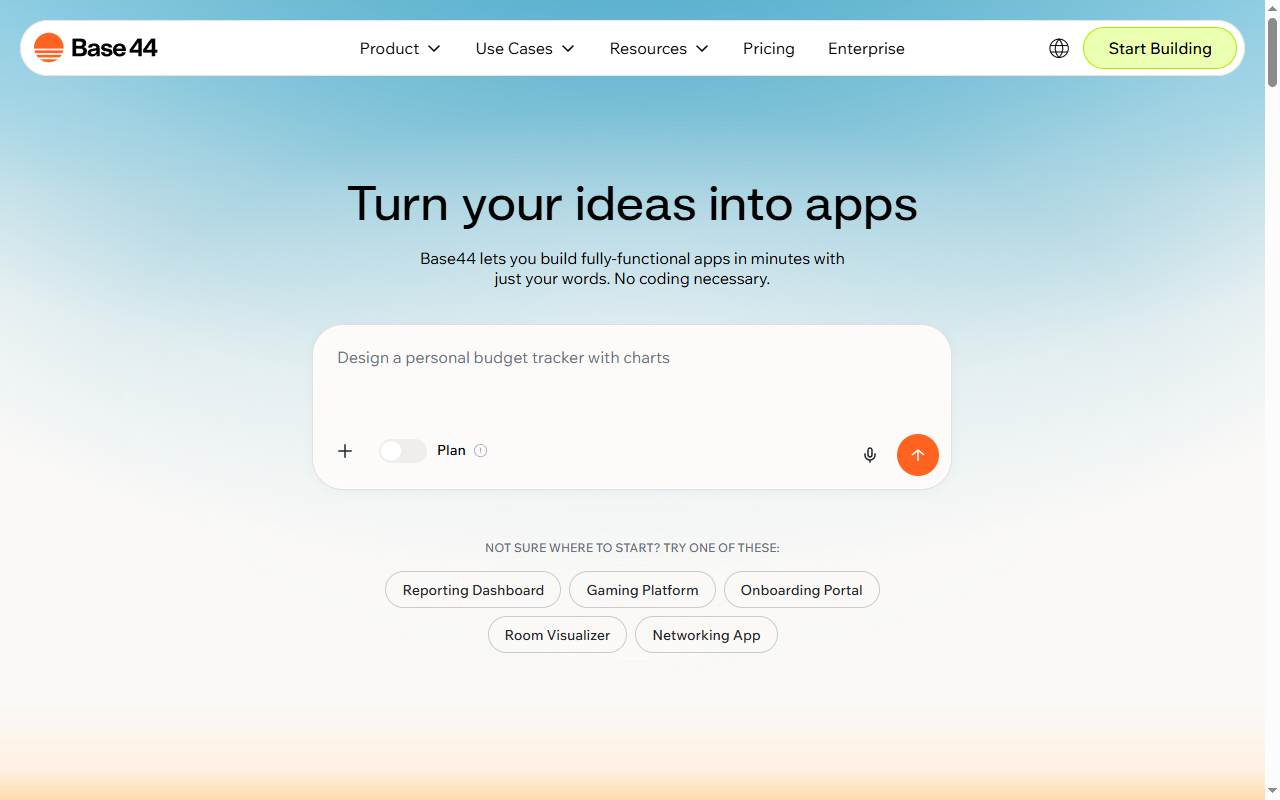
    Base44 vs Lovable is the question every non-coder asks when picking an AI app builder. Both let you build apps with AI — no code, vibe coding, prompt to app. We compare them on what actually matters: speed, hosting, ownership, and who each one fits.

    8.3
    / 10
    Our pick

    Base44 — the more complete platform for non-coders: superagent, built-in hosting, custom domains, and you own your app.

    Try Base44 free →

    Base44 vs Lovable: quick comparison

    CriteriaBase44Lovable
    TypeNo-code AI app builderAI app & website builder
    Headline strengthSuperagent builds & edits for youRaw build speed (“20x faster”)
    Built-in hostingYesDeployment-focused
    Custom domainsYesVaries by plan
    You own your appYesYes (export/code)
    Best forNon-coders, solo founders, internal toolsBuilders who want speed & code control
    Base44 no-code AI app builder
    Base44 — superagent, hosting, and app ownership in one platform

    Choose Base44 if…

    • You’re a non-coder or solo founder who wants a finished, hosted app.
    • You value built-in hosting, custom domains, and owning your app.
    • You’re building internal tools, a CRM, dashboards, or an MVP fast.
    Try Base44 →
    Lovable AI app builder
    Lovable — build apps and websites by chatting with AI

    Choose Lovable if…

    • You want maximum build speed and to iterate quickly by chatting.
    • You’re comfortable handling deployment separately.
    • You want closer access to the underlying code.
    Visit Lovable →

    The bottom line

    Both are strong AI app builders in 2026. Lovable wins on raw speed; Base44 wins on being a complete, hosted, you-own-it platform that non-coders can ship from prompt to live app. For most affiliate operators, solo founders, and small teams, Base44 is the better all-round pick.

    Frequently asked questions

    Base44 vs Lovable — which is better?

    Both are no-code AI app builders. Lovable emphasizes raw build speed; Base44 bundles a superagent, built-in hosting, custom domains, and app ownership in one platform. For a finished, hosted app you fully own, Base44 is the more complete pick.

    Is Base44 or Lovable better for non-coders?

    Base44 — its superagent plus built-in hosting and custom domains let non-coders ship a live app without touching code or extra setup.

    Can I host my app with Base44?

    Yes. Base44 includes built-in hosting and custom domains, so you can publish a live app directly. Lovable typically focuses on the build, with deployment handled separately.

    Which is cheaper, Base44 or Lovable?

    Pricing changes often for both. Compare current plans on each official site — and factor in that Base44 bundles hosting, which can save a separate cost.

    Related reviews

    Build your app with Base44

    Confirm current pricing and terms directly with the vendor before buying.

    Try Base44 free →